What's New in IconStyler
IconStyler release notes and version history
Every update to IconStyler, newest first.
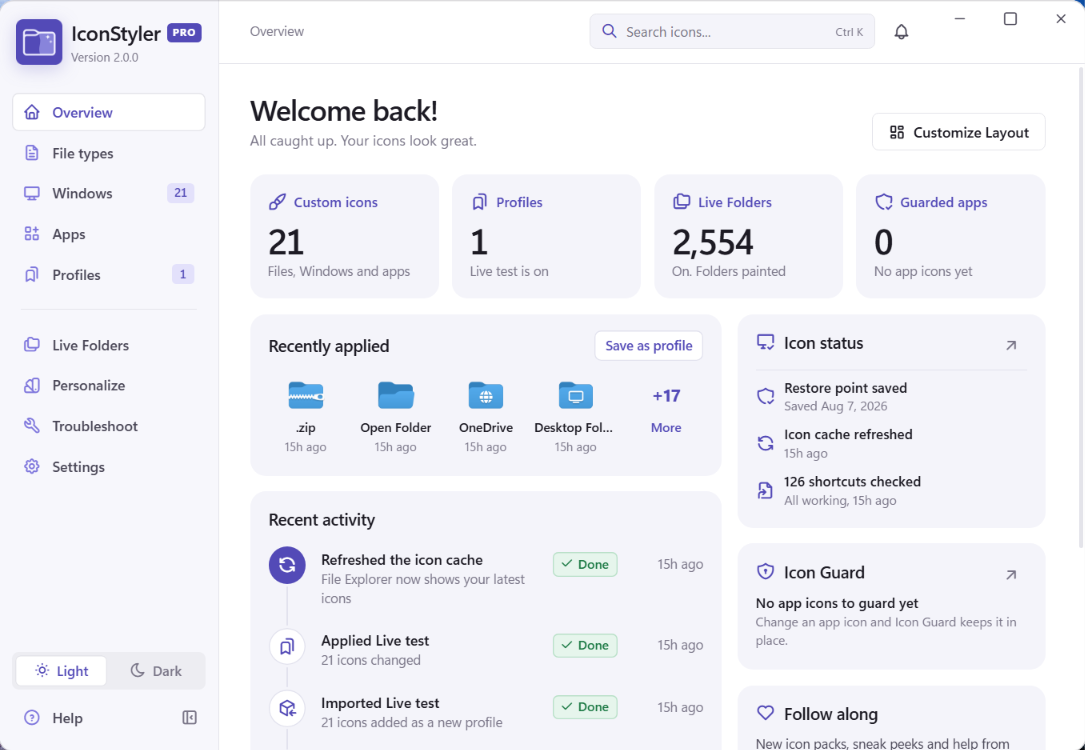
- Redesigned app: a new Overview with clear panels, a simpler side menu and a cleaner icon page.
- Live Folders: paint your folders in your own colors. On Free it paints Desktop folders in the ready-made colors; Pro adds your own colors, images and any folder.
- Panel styles in Settings > Personalize: Ghost panels (default) or White panels.
- Dark mode refreshed with brighter, easier-to-read text.
- Antivirus friendly: every Windows change goes through IconStyler’s own signed helper, with no scripts and no PowerShell.
- Offline friendly: Pro keeps working for 7 days without internet, with clear messages.
- An unusable icon file now shows a clear message instead of saying it was applied.
- Restoring a backup on a new PC now waits for Apply all, so the icons really reach Windows.
- Importing a pack with a name you already have no longer creates duplicate profile names.
- More reliable Reset all icons and Restore Windows defaults.
- Icon Guard (Pro): when an app update resets your custom program or shortcut icons, they’re put back automatically. It’s on by default and can be turned off in Settings.
- Use any image as an icon: PNG, JPG, WEBP, GIF, SVG and BMP are turned into a sharp icon with sizes from 16 to 256 pixels.
- Custom icon folder: a folder you choose for icons now gets its own “IconStyler Icons” subfolder, so your other files stay separate.
- Menu categories load much faster (about 1 to 2 seconds instead of 10 to 20).
- Cleaner code, with old unused features removed.
- Discord, Figma and similar apps no longer lose their taskbar and Start menu icons after they update.
- Repair Shortcuts now handles these apps properly. It also leaves alone shortcuts that point to a USB or missing drive.
- Restore All no longer deletes your own files, and it keeps any icon a shortcut still uses.
- The Windows App launcher no longer overwrites an app’s real shortcut.
- Program and app names with special characters (like Baldur’s Gate) now display and work correctly.
- Saved profile icons keep working even if you delete the original image.
- Admin actions now work for Windows usernames with accents or non-English letters.
- A server hiccup during a license check no longer drops Pro users to Free.
- Other small fixes to profile import and export, update notices and dark mode.
- Free plan now includes one saved profile of up to 10 icons (Pro stays unlimited).
- Web Apps and Other Shortcuts show a loading spinner beside the name while scanning, then appear the instant the scan finishes, no more popping in seconds late.
- Programs, Windows Apps, Web Apps, and Other Shortcuts are scanned in parallel, so the menu fills in noticeably faster.
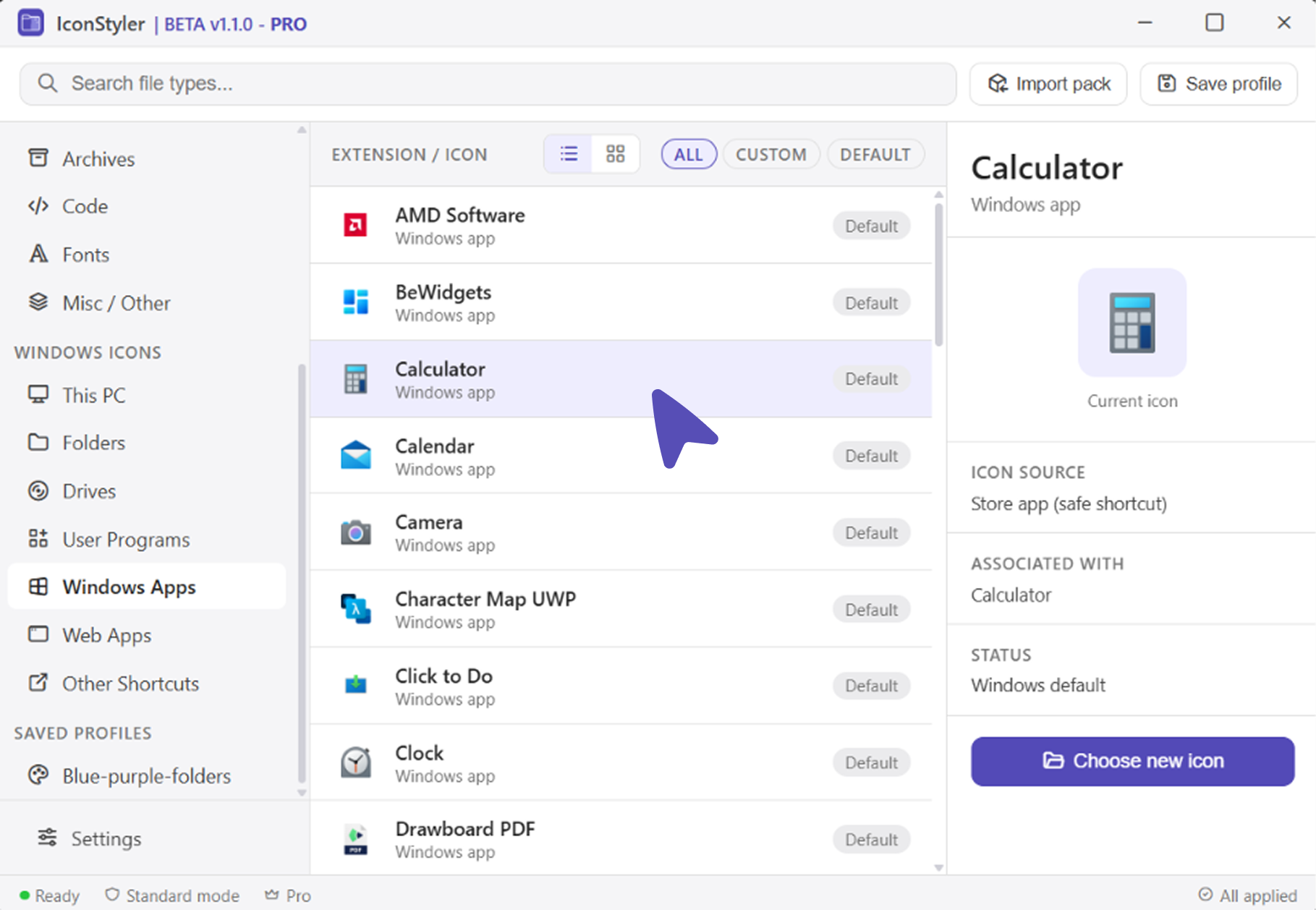
- Windows Apps category — give Store apps (Calculator, Photos, Camera) a custom icon via a safe launcher shortcut, no system files touched. (Pro)
- Web Apps category — custom icons for browser web apps / PWAs. (Pro)
- Other Shortcuts category — custom icons for saved desktop web links. (Free)
- Free plan rebalance — all file-type categories are now unlocked on Free (10 custom icons included).
- Applying and restoring app icons is now near-instant (was a 10–20s delay).
- On-screen notifications stay up long enough to read (were flashing away in ~2s).
- The Pro upgrade panel no longer breaks/squishes in grid view (also fixed the same issue in the saved-profile panel).
- Restoring a web-link icon now correctly reverts to the original.
Repair Shortcuts (Settings → Troubleshoot). Fixes shortcuts that show a blank icon. It repoints pins for auto-updating apps like Discord to their current version, restores a program’s own icon when a custom icon file is missing, and removes dead shortcuts left behind by uninstalled programs.
Quick refresh prompt after applying icons. IconStyler now asks if you want to refresh right away so your new icons show in File Explorer immediately, no need to open Settings.
Cleaner update notice. Once you click Install on a new version, the “Later” and close buttons disappear so it’s clear the update is being applied.
Update notifications. IconStyler now tells you inside the app when a new version is available, so you can download and install it whenever you are ready.
Automatic updates setting. Turn it on to have new versions install quietly in the background, or leave it off to choose when to update.
“Check for updates now” button in Settings, so you can look for a new version anytime.
Your uploaded icons are now saved into IconStyler’s own storage folder, so moving or deleting the original image no longer breaks an applied icon. You can pick where this folder lives in Settings.
Fixed a serious issue where using IconStyler could stop Windows from creating or renaming folders. This is fully resolved, and the reset buttons now repair it if it ever happened.
Icon storage folder: every icon you upload is now saved into the app’s own folder, and you can pick where in App Preferences → Icon storage folder.
Uploaded icons are copied into the app and PNG files are converted to .ico, so an applied icon never breaks if you move or delete the original file.
Fixed a serious issue where customizing or restoring icons could stop Windows from creating or renaming folders.
Restore Windows Defaults now automatically repairs that folder issue on any PC where it already happened.
New setup installer with a proper wizard: choose your install folder, install for all users or just yourself, and opt in to a desktop shortcut.
A Start Menu shortcut is now added automatically during install.
The desktop shortcut is no longer missing after installing.
Corrected the app name and description Windows shows during setup (it was long and out of date).
First public release of IconStyler. Restyle your Windows folder, drive, app, and file-type icons, with one-click undo. Free to start; Pro unlocks the full set.